Z : ZHD Controls
PC and mobile inputs, camera habits, and legitimate macro tips.
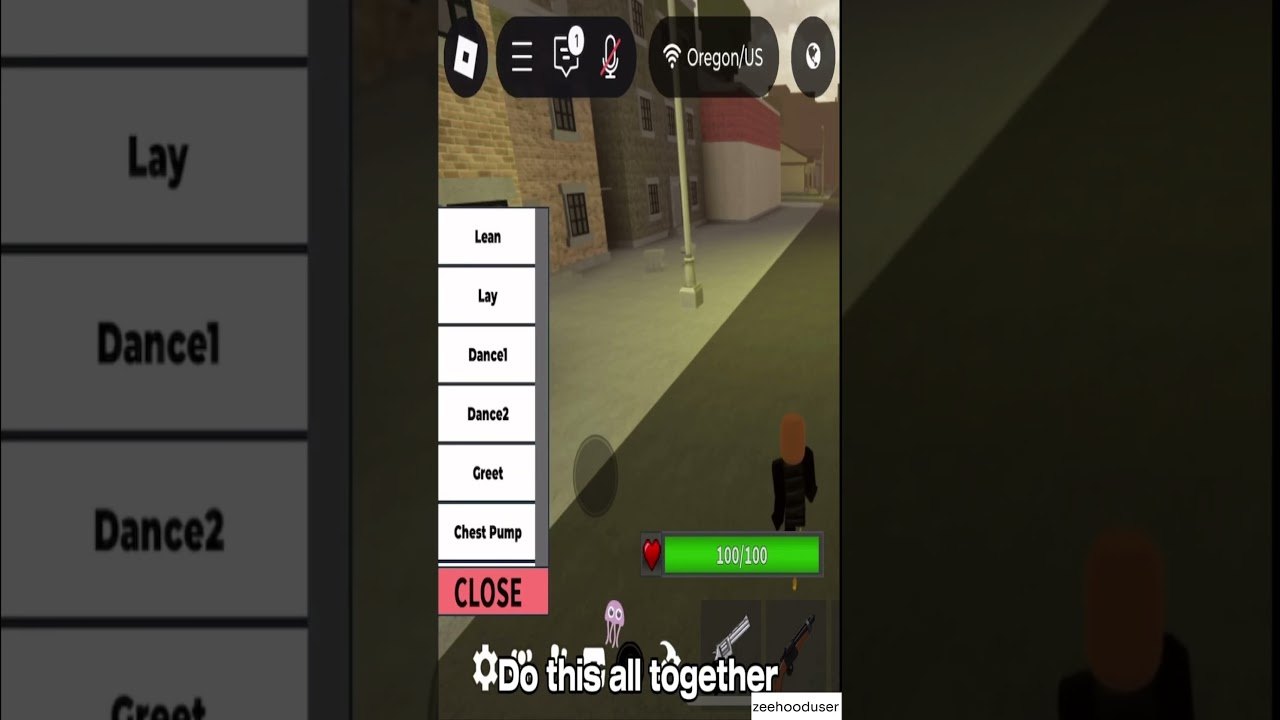
Clean controls are the difference between a planned peek and a panic spray in Z : ZHD. This guide covers PC and mobile inputs, camera discipline, HUD layout, and what “macros” mean in a fair-play context. Tune numbers afterward with the Sensitivity Helper.
PC baseline
Roblox defaults get you moving, but street combat demands intentional binds:
- Move — WASD with intentional counter-strafe stops before precision shots
- Jump / crouch — learn which corners punish jump peeks
- Sprint / slide-style movement — if the experience exposes enhanced movement, practice stamina timing in a private server
- Fire / ADS — separate mental modes for hipfire Double Barrel swings versus ADS Revolver holds
- Reload — never reload in the open after a failed entry (Combat Tips)
- Emote / photo — bind away from fire keys so you do not dance mid-duel in ranked
Rebind anything that collides with chat focus. Test binds after patches listed on Updates.
Camera and crosshair habits
- Keep crosshair at common head height while rotating alleys.
- Pre-aim angles your crew calls (Crews).
- Unload less; reset more—stop the camera, then shoot.
- After a kill, clear the next corner before reloading.
- Lower graphics clutter if outlines help you see players sooner.
Sensitivity that feels “fast for montages” often loses revolver duels. Prefer stability.
Mobile controls deep dive
Mobile lobbies are huge for Z : ZHD. Invest in layout:
- Place fire and ADS where your thumb rests naturally
- Keep jump reachable without losing camera drag
- Increase button opacity just enough to see under them
- Consider claw / three-finger if you can sustain it without pain
- Disable accidental gesture conflicts at the OS level when possible
The embedded video discusses mobile macros in the Zee Hood community sense—rapid input assistance some players configure for consistency. Understand platform rules: accessibility remaps differ from injected scripts. Anything that feeds inputs through shady executors overlaps the risk space on Scripts. Prefer in-game settings and practice.
Legitimate macro mindset
Players say “macro” to mean:
- Repeated movement tech bound to fewer taps
- External keyboard software on PC (still check Roblox rules)
- Mobile multi-touch sequences practiced until muscle memory
Fair approach: reduce unnecessary finger travel, do not fabricate impossible fire rates. If a tool requires a pastebin loadstring, that is no longer “controls”—that is scripting risk.
Controller notes
On console or controller-connected sessions, expect different aim assist curves. Do not paste PC eDPI values. Retune slowly, and accept that some flick tricks from mouse creators will not translate. Focus on centering and cover usage instead.
Pre-game controls checklist
- Correct sensitivity profile loaded (Tools)
- HUD not blocking common sightlines
- Push-to-talk or chat binds not conflicting
- Headphones on for footsteps
- Emote key safely away from fire
- Know how to open the codes UI (How to Redeem) without losing fights hunting menus
Drills that wire controls into aim
Drill A — Stop-shoot-stop
Strafe, stop, fire two controlled shots, strafe. Builds revolver discipline.
Drill B — 180 audio turn
Have a friend footsteps behind you in a private server; turn and acquire without spinbot energy.
Drill C — Reload cover
After every empty mag, touch a wall or crate before R.
Drill D — Mobile thumb stamina
Three short warm-ups beat one cramped hour that ruins your claw hand.
Linking controls to kits and ranked
- Double Barrel players need hipfire comfort and swing timing
- Tactical anchors need ADS micro-adjustments
- SMG runners need tracking while moving Match your kit via Loadouts and Weapons Tier List, then queue with habits from the Ranked Guide.
Troubleshooting sticky feel
| Feeling | Try |
|---|---|
| Sluggish turns | Slightly raise sens; check FPS |
| Shaky spray | Lower sens; improve stop-shoot timing |
| Mobile misclicks | Reposition HUD; reduce button size conflicts |
| Random camera yanks | Clear stuck keys; check emote bind |
| Input delay | Close overlays; verify network |
New accounts should finish Getting Started so control practice is not interrupted by economy confusion.
Master inputs once, then stop tinkering every death. Consistent controls create consistent streets.
Frequently Asked Questions
Quick answers for Z : ZHD street combat, codes, and ranked play.
What are the default Z : ZHD keybinds?
Roblox movement defaults apply, with experience-specific actions on the HUD. Rebind conflicts and always retest after UI patches.
Should I use macros on mobile?
Practice efficient multi-touch layouts first. External injection tools can violate rules—see Scripts for risks.
How do I fix blurry aim?
Tune Sensitivity, lower clutter, and practice stop-shoot drills from this page and Combat Tips.
PC or mobile—which is better?
Both are viable. Pick the platform you can play consistently, then optimize that HUD and sens.
Why did my binds reset?
Client updates or device swaps can clear settings. Recheck after notes on Updates.